

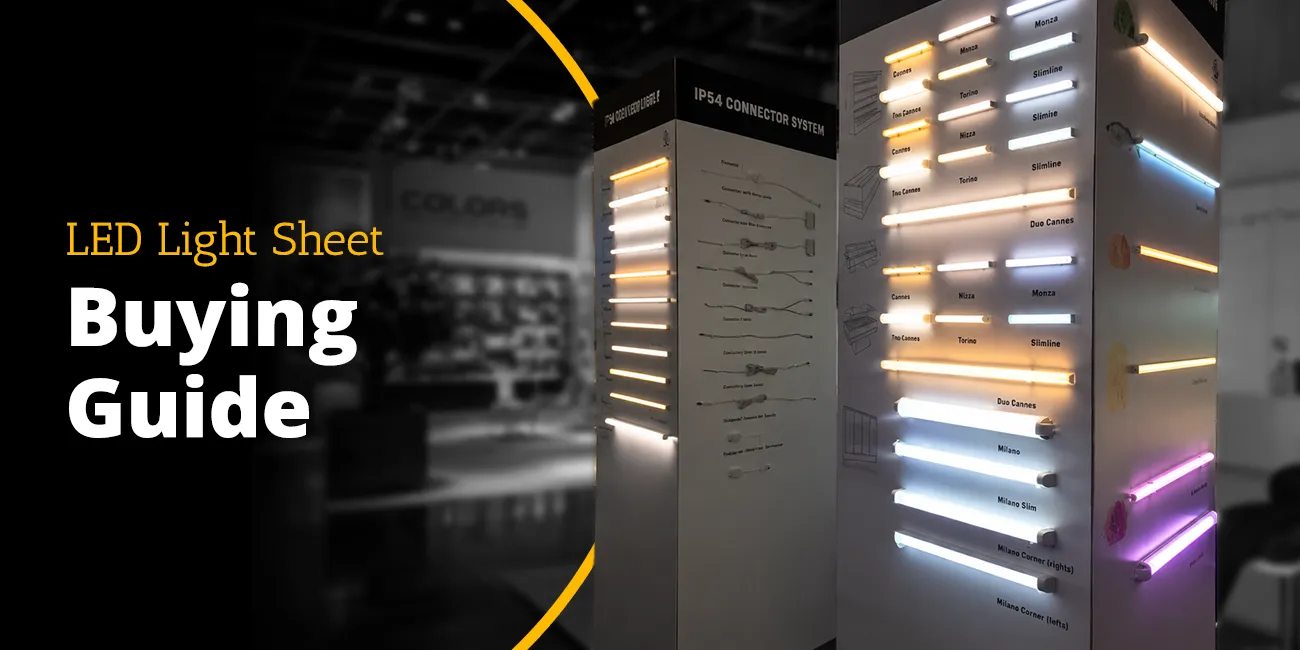
LED Light Sheet Buying Guide
Quick Answer:
Check six things: color rendering (CRI and R9), color temperature options, efficacy in lm/W, thickness, how and where it cuts, and the driver and control it needs. For commercial work, add certification, warranty and whether the maker supplies spec sheets and photometric files.
Most lighting products are specified by wattage and color temperature, and that is the end of the conversation. Flexible LED light sheets do not work that way. A sheet that is perfect for a backlit onyx reception desk will be the wrong choice for a forty-foot transit corridor, and the variant that makes a jewelry case look honest will be overkill behind a translucent stone wall nobody inspects at arm’s length.
This guide walks through the seven decisions that actually determine whether a light sheet specification succeeds: substrate and thickness, color rendering, color temperature, control type, power and driver planning, cutting and mounting method, and depth of cavity. Each section ends with a concrete recommendation rather than a list of considerations.
The reference product line throughout is LightWave® from LUXX Light + Retail Technology, a manufacturer operating since 1996. Specifications cited are current published figures. Where a decision depends on a number you must confirm for your own project, that is called out explicitly.
For the full LightWave range and specs at a glance, see the flexible LED light sheet overview.
Which LED light sheet specifications actually matter?
Five published figures do the heavy lifting: thickness, luminous efficacy, light output per unit area, LED density, and color rendering index. The rest is largely decoration. Each is covered below, with the figure that matters and why.
Thickness
Thickness governs where a sheet can go. Anything above roughly 10mm starts to dictate cabinet depth, which means millwork changes, which means cost. LightWave sheets are under 7mm across the line. That number matters most in shallow retail casework, museum vitrines, and any retrofit where the cavity already exists and cannot grow.
Luminous efficacy
Efficacy — lumens produced per watt consumed — determines heat and driver sizing as much as it determines an energy bill. LightWave Roll It! is rated at 130 lm/W in its 3500K/5000K/6500K configuration, and 115 to 130 lm/W in the wider-CCT version, dropping to 100 lm/W at 1800K. Generation 1 Plus runs 113 to 123 lm/W. CH2 is rated above 90 lm/W. Lower efficacy is not automatically a defect; CH2 trades some efficacy for color quality, which is the correct trade in a jewelry case and the wrong one in a warehouse.
Light output per unit area
Total lumens is a nearly useless number in isolation, because a sheet’s total output scales with its size. Output per square foot is the figure that predicts what a surface will look like. Roll It! delivers 840 to 1,400 lm/sqft depending on configuration. PIXX produces 635 lm/sqft at 5000K. Generation 1 Plus produces 1,580 to 1,720 lumens from a 12 by 24 inch sheet — two square feet — placing it in the same broad range as Roll It!.
LED density
Density predicts hotspotting more reliably than any other published figure. Widely spaced diodes require more cavity depth and more diffusion to blend into an even field. Roll It! carries 324 LEDs per square foot. PIXX carries 628 per square foot. Generation 1 Plus packs 648 diodes into a 12 by 24 inch sheet. High density is why these products can sit close behind a diffuser without printing a dot pattern through it.
Color rendering index
CRI is covered at length below. For a first pass: the LightWave line is Ra 80+, and the CH2 RGBW variant reaches CRI 90. For a deeper breakdown of what Ra actually measures and where the threshold sits, see High-CRI LED light sheets explained.
CRI: how much color accuracy do you actually need?
Color rendering index measures how faithfully a light source reproduces color compared to a reference. A CRI of 100 is perfect fidelity. Every practical LED product sits below that, and the question is not whether you want more but whether the extra is worth what it costs.
Where CRI 80+ is sufficient
Ra 80+ is the right specification when the light is architectural rather than evaluative — when nobody is going to judge a color against the illuminated surface. Backlit signage, cove and recess lighting, translucent stone features, trade show backdrops, corridor and stairwell washes, and general large-format architectural backlighting all sit comfortably here. In these applications the eye adapts to the ambient condition and small rendering shortfalls go unnoticed.
Where CRI 90 earns its cost
CRI 90 belongs anywhere a viewer will make a judgment based on what the light reveals. Apparel, cosmetics, and jewelry retail are the obvious cases: a customer deciding whether a garment is charcoal or navy is performing a color-matching task under your lighting, and a low-CRI source will lose that sale or generate a return. Museum and gallery casework is the second case, where the object’s appearance is the entire point of the installation. Food merchandising is a third.
In the LightWave line, CRI 90 is available on the CH2 RGBW variant. This is a specific point worth getting right: CH2 in its Tunable White configuration is rated Ra 80+, and the 90 figure applies to the RGBW version at 5000K. Specifying “CH2” alone does not guarantee CRI 90 — specify CH2 RGBW.
The practical rule
If a person will look through the light at a product and form an opinion about that product’s color, specify CRI 90. If the light is the feature and there is nothing behind it to evaluate, Ra 80+ is the correct and more efficient choice.
Which color temperature should you choose?
Correlated color temperature describes the warmth or coolness of white light in kelvin. Lower numbers read warm and amber; higher numbers read cool and blue-white. For application-by-application recommendations across the full 1800K–6500K range, see the LED light sheet color temperature guide.
The available range
LightWave covers 1800K through 6500K, though not uniformly across every product. Generation 1 Plus lists 3500K, 5000K, and 6500K as standard stock, with 1800K, 2700K, 3000K, and 4000K available by request — a distinction with lead-time consequences worth confirming early. Roll It! offers 3500K, 5000K, and 6500K in its higher-efficacy configuration, and the full 1800K through 6500K spread in its second configuration at a modest efficacy penalty. Tunable White options on both Generation 1 Plus and CH2 sweep 2700K to 6500K under controller command.
Matching CCT to application
Hospitality, residential, and any environment selling comfort generally land between 2700K and 3000K. The 1800K end is a deliberate effect — candlelight warmth for bars, lounges, and mood-driven feature work — and it costs efficacy, dropping Roll It! to 100 lm/W. General retail and commercial interiors sit at 3500K to 4000K. Task-oriented retail, grocery, and any application where crispness reads as cleanliness runs 5000K. The 6500K end is daylight-mimicking and belongs in industrial, inspection, and specific display contexts where neutrality matters more than warmth.
When to specify tunable white
Tunable white is worth its added cost and control complexity in two situations. The first is circadian and wellness lighting, where the color temperature shifts across the day to support occupant rhythm. The second is multi-use space, where the same room hosts a daytime function and an evening one and needs to feel different in each. Tunable white on Generation 1 Plus draws two channels at 14W each; on CH2 it draws two channels at 20W each. Budget the driver capacity for both channels running.
If neither of those conditions applies, a fixed CCT is simpler, cheaper, and one less thing to commission.
RGBW or addressable: which do you need?
Choose RGBW if the surface holds one color at a time; choose addressable (PIXX) only if something needs to move. This is the single most consequential choice in the LightWave line and the most commonly over-specified.
What RGBW does
An RGBW sheet sets the entire surface to one color at a time. It can be deep blue, then amber, then a dedicated 5000K white channel, and it can fade smoothly between them. What it cannot do is show two colors simultaneously on the same sheet. Generation 1 Plus RGBW runs four channels at 4W each, producing 490 lumens at 5000K. CH2 RGBW runs four channels at 11W each, producing 900 lumens at 5000K, and this is the variant carrying CRI 90.
What addressable does
LightWave PIXX adds SPI pixel-level control, meaning individual zones within the sheet are independently driven. That enables gradients, sweeps, chase effects, animation, and content-driven output. PIXX sheets measure 9.25 by 19.8 inches, draw 35W, produce 810 lumens at 5000K, and carry 800 LEDs in four groups of 200. Power density is 27.5W per square foot — substantially higher than the static products, because pixel control requires the drive electronics to be distributed across the sheet.
How to choose
Ask one question: does anything need to move? If the design calls for the surface to be one color that occasionally changes — brand color by season, warm in the evening and neutral by day, red for a promotion — RGBW is correct and considerably cheaper to power, drive, and commission. If the design calls for motion, gradient, or content across the surface, addressable is the only option that will satisfy it.
The common failure is specifying addressable for a project that only ever displays static color. That project pays for pixel controllers, higher power infrastructure, and a programming and commissioning phase it will never use. The opposite failure is rarer but harder to fix: an RGBW installation cannot be made to animate after the fact without replacing the sheets.
How do you plan power and drivers?
Sheet selection is roughly half of a light sheet specification. The other half is delivering power to it correctly.
Calculating load
Work from power per unit area rather than per-sheet wattage, because sheets get cut. Roll It! draws 2.15W per foot — 6.6W per square foot — in its 3500K/5000K/6500K configuration, and 3.5W per foot or 10.7W per square foot in the wider-CCT configuration. PIXX draws 27.5W per square foot. Generation 1 Plus draws 14W per 12 by 24 inch sheet in single color, doubling for tunable white across two channels. CH2 tunable white draws two channels at 20W.
Multiply illuminated area by the per-area figure, add the standard headroom margin your electrical engineer specifies, and size drivers accordingly. Running a driver at its rated ceiling shortens its life and is the most common cause of premature failure in otherwise sound installations.
Why the roll format changes the driver math
This is where Roll It! earns its position in the line. Delivered in continuous lengths up to 40 feet, it lets a long run be powered as a single section instead of a chain of discrete panels. The consequences compound: fewer drivers, fewer splices and connectors, and less wiring clutter in the cavity. Every splice is a potential failure point and a labor line item, so eliminating them improves both reliability and installed cost.
For a long cove, a corridor, or a large signage backdrop, this is usually the difference between a clean install and a congested one.
Dimming and control
LightWave sheets are dimmable with a compatible driver or controller. Tunable white and RGBW variants also adjust color through the controller. Confirm dimming protocol compatibility — 0-10V, DALI, DMX, or otherwise — with your controls contractor before the driver package is ordered, because retrofitting a protocol mismatch after installation is expensive and sometimes impossible without opening finished millwork.
Skip the math — the free LED sheet power supply calculator returns your recommended driver size with headroom already applied.
How are LED light sheets cut and mounted?
Cutting
LightWave sheets cut along designated lines to fit panels, frames, and custom shapes on site. That is a meaningful practical advantage over rigid panel products, which require the enclosure to conform to the fixture rather than the reverse. It also means field measurements can be taken late and material waste stays low.
Cut only on the designated lines. Cutting elsewhere severs circuit paths and disables sections of the sheet. If you’re still deciding between a sheet and a linear source, LED light sheet vs LED strip lights breaks the decision down by cavity depth and geometry.
Mounting
Most LightWave variants are adhesive-backed: peel, position, press. Surface preparation is the entire game — the substrate must be clean, dry, and free of dust and release agents. Adhesive failures in the field are nearly always preparation failures, not adhesive failures.
The screw spacer set
LUXX supplies a screw spacer set that holds the sheet off the forward-facing material at a fixed offset. It does two things simultaneously. It creates the air gap that lets individual diodes blend into an even field rather than printing through as visible points, and it provides thermal clearance that helps the sheet run cooler and last longer.
If the design has the sheet pressed flat against a translucent face material, the spacer set is not an accessory — it is the component that determines whether the finished surface looks even. Specify it at the same time as the sheet.
Cavity depth
More gap between sheet and face material means better blending. Less gap means a thinner assembly. LightWave’s under-7mm profile and high LED density mean the required gap is small, but it is not zero. Where the cavity is genuinely shallow, higher LED density and the spacer set together do most of the work.
Which LightWave variant fits your project?
The four products in the line are not tiers of quality. They are four different answers to four different problems.
LightWave Roll It!
Continuous rolls up to 40 feet, 4 inches wide, 130 lm/W, 324 LEDs per square foot, CRI above 80. Choose it for large-format and long-run work: retail display walls, backlit signage and billboards, airport and transit corridors, trade show backdrops, long hallways and staircases, and industrial task lighting. Its advantage is not the sheet itself but the format — one long powered section instead of many small ones.
LightWave Roll It! — Continuous rolls up to 40 feet…
LightWave Generation 1 Plus
Modular 12 by 24 inch sheets, adhesive-backed, 648 diodes, 113 to 123 lm/W, Ra 80+, available in single color, tunable white, or RGBW. This is the general-purpose workhorse. Choose it for irregular shapes, moderate areas, and any project where the surface is built up from cut pieces rather than run in a line. The widest CCT flexibility in the line sits here, though the non-standard temperatures are by request.
LightWave Generation 1 Plus — Modular 12 by 24 inch sheets…
LightWave CH2
12 by 24 inch sheets in tunable white or RGBW, above 90 lm/W. The tunable white version produces 1,800 to 1,850 lumens at Ra 80+; the RGBW version produces 900 lumens at 5000K and carries CRI 90. Choose CH2 RGBW when color accuracy is the requirement — retail apparel and cosmetics, jewelry, museum and gallery casework, food merchandising.
LightWave CH2 — 12 by 24 inch sheets in tunable white or RGBW…
LightWave PIXX
9.25 by 19.8 inch addressable RGBW sheets with SPI control, 800 LEDs, 35W, 810 lumens at 5000K. Choose PIXX only when the installation must move: dynamic walls and ceilings, animated backlit signage, architectural accent with programmed effects, stage and event lighting, and interactive installations. If the surface will hold a static color, choose RGBW instead and spend the difference elsewhere.
LightWave PIXX — 9.25 by 19.8 inch addressable RGBW sheets…
Combining products
Roll It! is designed to be combined with the cuttable LightWave products. A long architectural run can be handled by Roll It! while the irregular returns, corners, and custom shapes at either end are filled with cut Generation 1 Plus or CH2. Matching the CCT across products at specification time is what makes this read as one continuous surface rather than two products meeting.
Want the full numbers side by side? See the LightWave® Gen 1 Plus vs CH2 vs PIXX vs Roll It! spec comparison.
What causes LED installations to fail in the field?
Two installations can use identical published specifications and look completely different eighteen months later. The difference is usually in things the spec sheet does not surface prominently.
Binning and batch consistency
LEDs vary from one production run to the next. A diode nominally rated 3500K may render slightly green or slightly pink relative to another 3500K diode from a different batch. On a small fixture nobody notices. On a thirty-foot backlit wall assembled from many sheets, batch variation reads as visible patchiness — subtle bands of warmer and cooler light that the eye picks up immediately because there is a continuous surface to compare across.
LUXX bins its LEDs within a 3-step MacAdam standard, which constrains how far any individual diode can deviate from the nominal target. For large-format work this is not a marketing figure; it is the reason the surface reads as one field of light. When comparing manufacturers, ask for the binning tolerance specifically, because a product with excellent published efficacy and loose binning will disappoint on any surface large enough to compare against itself.
Thermal management
Heat is what determines whether an LED installation still looks correct in year five. Elevated junction temperature accelerates lumen depreciation and shifts color over time, and the shift is not uniform — the hottest sections of an installation age fastest, which reintroduces patchiness on a surface that was even on day one.
Light sheets are thin, which limits the heat sinking available within the product itself, so the installation carries more of the thermal responsibility than it would with a rigid panel. The screw spacer set contributes here as well as optically, since the air gap it establishes provides thermal clearance. Sealing a sheet into an airtight cavity with no path for heat to leave is the most common way a well-specified product underperforms.
Listings and warranty
LightWave sheets are UL Listed and carry a five-year warranty. For commercial and institutional work, listing is frequently a condition of approval rather than a preference, so confirm it early — discovering a listing gap at inspection is a schedule problem, not a specification problem. Retain the warranty documentation with the project closeout package, because warranty claims several years out are typically resolved on documentation rather than memory.
What affects lead time and procurement?
The specification decisions above have procurement consequences that are easier to manage early than late.
Standard versus by-request color temperatures
Generation 1 Plus lists 3500K, 5000K, and 6500K as standard, with 1800K, 2700K, 3000K, and 4000K available by request. That distinction is a schedule item. A design that specifies 2700K for warmth is entirely reasonable, but it should be confirmed against lead time before the construction schedule hardens around it. Where the schedule is tight and the CCT is not load-bearing to the design, a standard temperature removes risk at no aesthetic cost.
Ordering a margin
Cut plans change on site. Field dimensions differ from drawings, a corner detail turns out tighter than modeled, a sheet is damaged during install. Ordering to the exact calculated area leaves no recovery, and a small reorder late in a project costs far more in schedule than in material. Carrying a modest overage is standard practice for a reason.
What to send with a quote request
A quote returns faster and more accurately when it includes application, dimensions, color temperature, and quantity. Adding cavity depth, face material, and dimming protocol usually converts a price quote into a specification review, which catches the mismatches described throughout this guide before they become field problems.
What should a specification checklist include?
Eleven items should be confirmed before a light sheet package is released. Each one corresponds to a decision covered above.
- Total illuminated area, calculated separately for each distinct surface
- Required CCT, and whether it is a standard stock temperature or a by-request one with additional lead time
- Required CRI — 80+ or 90 — driven by whether anyone evaluates color under the light
- Static or dynamic output, which resolves the RGBW versus addressable decision
- Total connected load in watts, derived from area multiplied by power per square foot
- Driver quantity, capacity, and location, with headroom above calculated load
- Dimming protocol, confirmed compatible with the controls package
- Cavity depth available, and whether the screw spacer set is included
- Substrate condition and surface preparation for adhesive mounting
- Cut plan showing designated cut lines against the finished shape
- Warranty terms and documentation retained with the closeout package
Frequently Asked Questions
How do I choose between RGBW and addressable?
RGBW changes the whole sheet to one color; addressable (PIXX) controls zones for motion. Choose addressable only if you need animation.
What CRI do I need?
80+ for general backlighting; 90 (CH2 RGBW) for retail and museum true-color.
How much power should I budget per square foot?
It depends on the product: Roll It! draws 6.6 to 10.7W per square foot, and PIXX draws 27.5W per square foot. Calculate total area first, then size drivers with headroom above that figure.
Can different LightWave products be used in the same installation?
Yes. Roll It! is designed to combine with the cuttable LightWave products, so a long run can be Roll It! while irregular shapes are filled with cut sheets. Match CCT across products at specification.
How thin are LightWave light sheets?
Under 7mm across the line, which is what allows them to fit shallow retail casework, museum vitrines, and retrofit cavities without millwork changes.
What warranty comes with LightWave sheets?
A 3-year warranty, extendable to 5. Full terms are published in the LUXX warranty statement.
Request a project quote — send application, dimensions, color temperature and quantity. LUXX has manufactured commercial lighting since 1996. UL Listed. 3-year warranty, extendable to 5.
Specifying this on a project? Request the LightWave® specifier package — spec sheets, IES photometric files, CAD details and Revit families.
See this variant specified in a real scope: six worked project scenarios with sheet counts, total wattage and driver sizing.