Quick Answer:
Multiply the watts per sheet (or per foot) by the quantity, add 15–20% headroom, and round up to the next standard driver size. Generation 1 Plus single color draws 14 W per sheet, CH2 tunable white 40 W, CH2 RGBW 44 W, PIXX 35 W, Roll It! standard 2.15 W/ft and high-output 3.5 W/ft. Tunable white needs a 2-channel driver and RGBW a 4-channel driver.
Enter your LightWave® variant and quantity — this calculator returns exact total wattage and a recommended driver size with 15–20% headroom already baked in. Every wattage figure comes directly from the live product spec tables; the tool just does the arithmetic so you don’t have to.
What does this LED sheet calculator do?
Every LED light sheet is a constant-voltage load. The LightWave® installation guide needs a driver sized to the total wattage the run will pull, plus a safety margin (headroom) so the driver runs comfortably below its rated maximum.
This calculator handles the arithmetic and recommends the next standard driver size up from the calculated requirement.
How many LED sheets do I need?
Enter the lit surface size. The estimator returns sheet count (or feet of Roll It!) and sends it to the driver calculator below.
Estimate only. Sheets cut along marked lines, so offcuts can fill edges; LUXX confirms the final layout with your project quote.
LightWave® Driver Size Calculator
Estimates only, based on published LightWave® spec-sheet wattages. Final driver selection must be confirmed against site conditions, wire runs and local electrical code by a qualified installer. For dimming-protocol matching (DALI, DMX, 0–10 V, TRIAC/ELV), mixed-variant runs, or projects over 500 W, request a driver-matched quote.
Worked Example: Back Bar Backlighting
A restaurant back bar runs 6 LightWave CH2 sheets in a tunable-white configuration.
The math:
- Variant: CH2 Tunable White
- Wattage per sheet: 40 W
- Sheet count: 6
- Total load: 40 W × 6 = 240 W
- Headroom (20%): 240 W × 1.2 = 288 W
- Minimum driver: 300 W tunable white controller
Enter your own sheet count and variant into the calculator above to find your minimum
driver size. Always add 20% headroom for switching efficiency and thermal derating.
How do you calculate LED sheet power?
The formula is simple:
- Total wattage = per-sheet (or per-foot) wattage × quantity
- Recommended driver size = total wattage × (1 + headroom%)
- Round up to the next standard driver size available
Typical standard driver sizes include 30 W, 60 W, 100 W, 150 W, 200 W, 240 W, 320 W, 480 W or 720 W.
Multi-channel variants (Tunable White, RGBW) need a multi-channel driver — each channel gets its own output at the per-channel wattage.
Addressable PIXX needs an SPI-capable pixel controller in addition to the power driver. Both cases are flagged by the calculator.
Why add 15–20% headroom to an LED driver?
Running a driver at 100% of its rated output is a bad idea for three reasons:
- Heat — drivers run cooler and last longer at 70–85% of rated output
- Voltage sag — real-world wire runs, splices, and terminations cost a few percent; headroom absorbs that
- Future flexibility — adding a small extension to the install becomes possible without swapping the driver
LUXX recommends 15–20% headroom as standard. The calculator defaults to 20%.
Push it higher (25–30%) if the install runs hot ambient or has long cable runs from driver to sheet.
What size driver does each LightWave variant need?
Quick reference if you prefer to size manually or the calculator above is unavailable:
| Variant | Wattage per unit | Recommended minimum driver per unit (+20%) |
|---|---|---|
| Gen 1 Plus Single Color | 14 W/sheet | ~17 W/sheet |
| Gen 1 Plus Tunable White | 2 × 14 W = 28 W/sheet | ~34 W/sheet (2-channel) |
| Gen 1 Plus RGBW | 4 × 4 W = 16 W/sheet | ~20 W/sheet (4-channel) |
| CH2 Tunable White | 2 × 20 W = 40 W/sheet | ~48 W/sheet (2-channel) |
| CH2 RGBW | 4 × 11 W = 44 W/sheet | ~53 W/sheet (4-channel) |
| PIXX Addressable | 35 W/sheet | ~42 W/sheet + SPI controller |
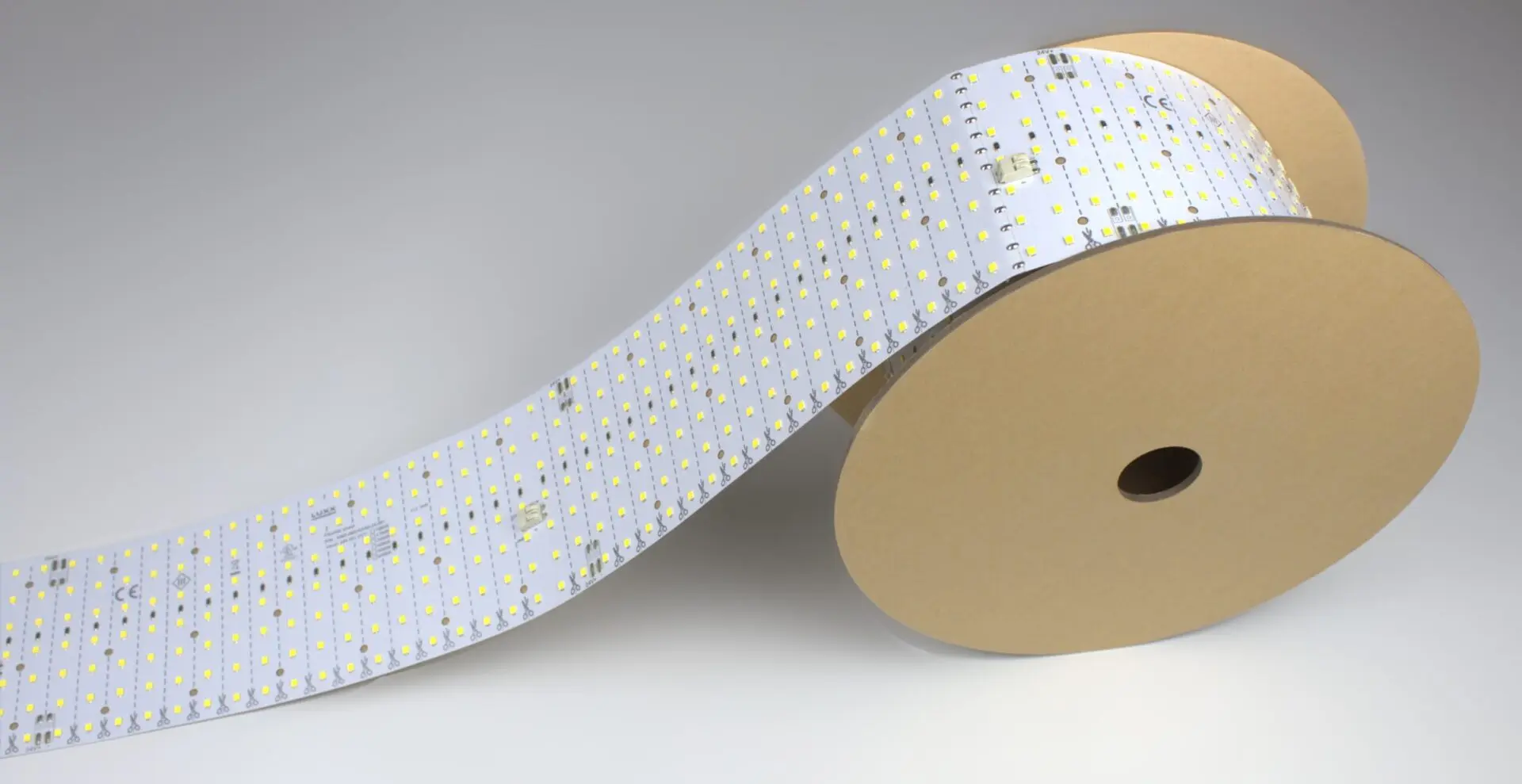
| Roll It! Standard | 2.15 W/ft (7 W/m) | ~2.6 W/ft × run length |
| Roll It! High-Output | 3.5 W/ft (11.7 W/m) | ~4.2 W/ft × run length |
Multi-channel variants need drivers with 2 (Tunable White) or 4 (RGBW) independent output channels — each channel sized to the per-channel wattage.
When sizing power supplies for LED installations, always account for driver derating according to your local electrical code. The National Electrical Code (NEC) specifies derating requirements for electronic equipment operating at elevated temperatures.
Professional installers should consult the NEC guidelines and the power supply manufacturer’s specifications to ensure safe, code-compliant installations. Proper derating prevents thermal stress on driver circuits and maintains system reliability.
Use our LightWave Power Calculator to account for derating factors based on your installation environment and local code requirements.
Do not use a single-channel driver with a multi-channel variant.
When should you ask for a driver-matched quote?
The calculator gets you 95% of the way there for standard installs.
Ask LUXX to quote a driver-matched kit when:
- The install is dimmable and the venue runs a specific protocol (DALI, DMX, 0–10 V, TRIAC/ELV) — see dimmable driver options for protocol matching
- The install is a mixed run with multiple variants combined (Roll It! + cuttable sheets) — the wattage math is trivial, the driver-topology choice is not
- PIXX is involved — the SPI pixel controller sizing depends on pixel count, refresh rate, and control-software choice, not just wattage
- The project is over ~500 W total — larger installs benefit from driver-per-zone rather than one large driver
- The venue is high-ambient-temperature or has long cable runs — extra derating advice applies
Link to this calculator
Free to use, no registration. Copy this link to share it: